
Reading Your Diary on a Second Device
Sync in ONEDiary is two switches, not one, and knowing which is which saves a lot of confusion when you get a new phone.
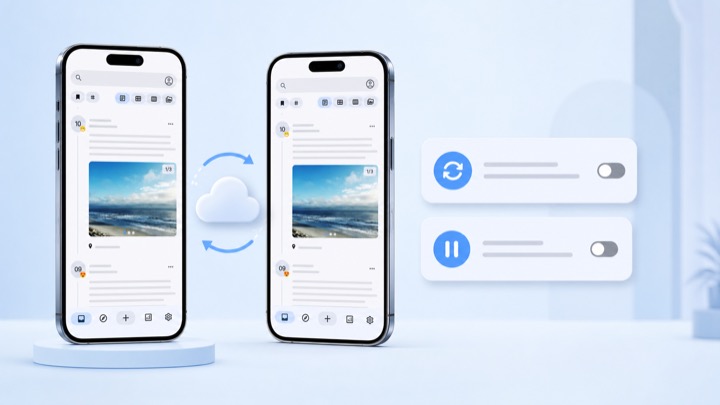
ONEDiary works completely without an account, which means sync is something you opt into rather than something you configure around. Here is the whole model, because the details matter when you are migrating to a new phone.
The two switches
There are two independent things, and people usually conflate them:
- Signing in. Creates the account that a synchronized copy could belong to. On its own, it does not move any diary data.
- Data sync. The switch that actually keeps entries aligned across the devices you are signed in on. It lives under your account settings.
You need both on for a second device to see your entries. Signing in alone is not enough, and that is deliberate — plenty of people sign in for purchases and do not want their diary leaving the phone.
Setting up a second device
- On the original device, sign inSettings → Account → Login.
- Turn on Data syncUnder the account section. This is the switch described as automatically syncing diary data across your signed-in devices.
- Give it a moment on a real connectionThe first sync is the largest one, especially if your entries have photos attached. Leave the app open on Wi-Fi rather than checking the second device immediately.
- Install ONEDiary on the second device and sign in with the same accountThen turn Data sync on there too.
After that, entries written on either device show up on the other without any manual action.
Pausing without unwinding anything
Offline mode pauses synchronization and keeps your changes on the device until you resume. It is the right switch for roaming, for a flight, or for any stretch where you want the app to stop talking to the network without losing the setup you just did.
It is not the same as turning Data sync off. Offline mode is a pause with a queue behind it; when you switch it back, the pending changes drain on their own.
What needs a connection and what does not
- Works offline: writing, editing, reading, the calendar, search, attaching photos already on your device, moods, tags.
- Needs a connection: data sync, share links, and the AI report and diary chat.
If the app feels stuck on one of the second group, that is the first thing to check — those are the only features with a network dependency, and they are all optional.
Before you wipe the old phone
Two things worth doing regardless of whether sync is on, because they cost a minute and cover the case where something goes wrong:
- Use Export in Settings → Local data to take a copy of your entries off the device.
- Confirm the second device actually shows your most recent entry — not just that sync says it is on. Check the newest date in the timeline on both.
Sync is a convenience. An export you are holding is a backup. They are not the same thing and it is worth having both.
Try it on your own phone.
Free on Google Play. Android 10 or later. No account needed to start writing.